
【Latest LECO Technology】Blur Background
1.0

 Image info
 Image info
 Image info
 Image info
 Image info
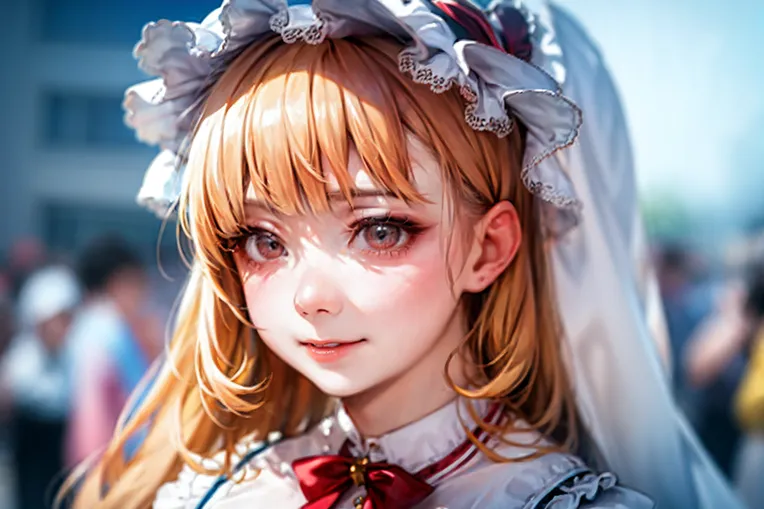 Image info
LECO proposed the concept of blur, blurry, and blur background from the model to create lora
Buy me a cup of coffee to show support
https://www.buymeacoffee.com/JasonAICreator
When using this Lora, a weight of -4 to -6 is needed to enhance the blurred background effect
(LECO has also tried adding effects, but erasing and then using the reverse works better, so you need to use -4 to -6 to use this lora)
More suitable for use in realistic models
Recommended tags:
realistic, detailed skin,
Negative recommended tags:
(worst quality, low quality, normal quality: 1.5), monochrome, skin blemishes, (wrong finger), 3D render, game cg
Models are usually first released on C Station
C Station:
https://civitai.com/models/100363?modelVersionId=107424
B Station: Xiao Zhi Jason, usually updates some exploration in the SD aspect, welcome to follow
QQ Group: 866612947
To support my work, you could buy me a coffee
https://www.buymeacoffee.com/JasonAICreator
To use this lora, you need to use -4 to -6 lora weight to enhance the blur background effect.
This lora works better on realistic models.
Recommended Quality Tag:
realistic, detailed skin,
Recommended Negative Tag:
(worst quality, low quality, normal quality: 1.5), monochrome, skin blemishes, (wrong finger), 3D render, game cg