
NewMarsMix
NewMarsMix_R2
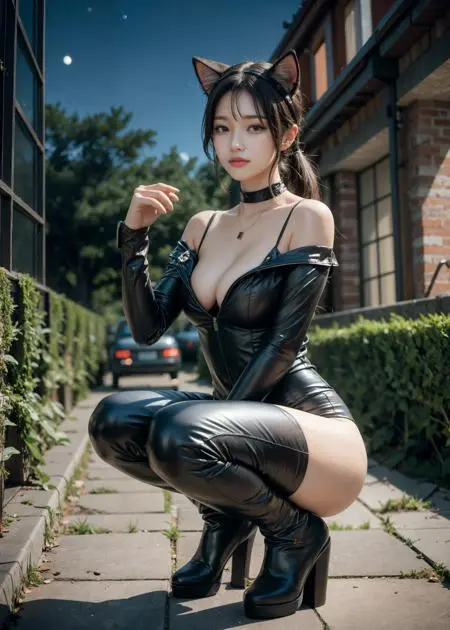
 Image info
 Image info
 Image info
 Image info
 Image info
 Image info
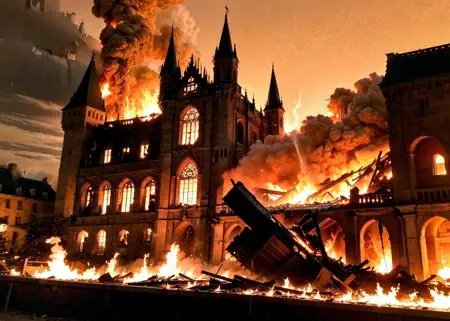 Image info
 Image info
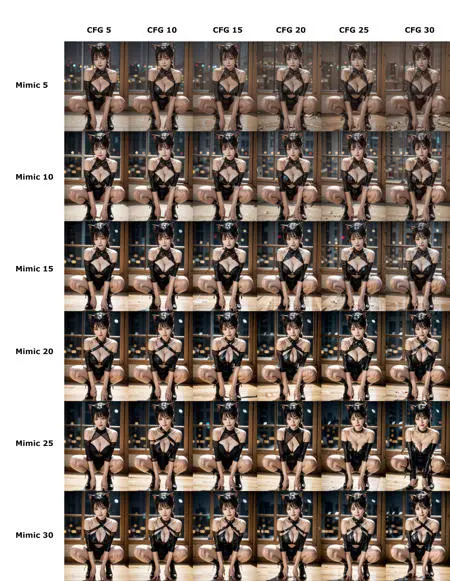 Image info
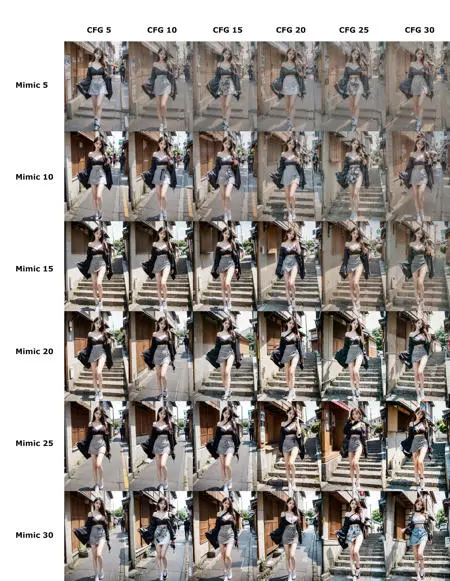 Image info
2023. 08. 19 New Version (R2) Released
.
Prompt that I use by default :
(best quality, intricate details:1.4), 1 girl, (korean mixed, kpop idol:1.2), pale skin,
Negative Prompt: (worst quality, low quality:1.4), loli, (fat, curvy:1.2), (blurry), ng_deepnegative_v1_75t
You can add what you want in it.
.
.
.
For Ver R2.
Recommended settings
- Sampling Method : DPM++ (2M or SDE or 2M SDE) Karras
- Upscaler : 4x-Ultrasharp
(You can choose Sampling method and Upscaler according to your taste)
- CFG : 15 (If you don't use Dynamic Thresholding, Keep it under 10)
- Mimic CFG Scale : 10
- Top percentile of latents to clamp : 100
- Mimic Scale Scheduler : Cosine up (or Half cosine up)
- CFG Scale Scheduler : Half Cosine up
- Minimum value of the Mimic Scale Scheduler: 10
- Minimum value of the CFG Scale Scheduler : 15
The settings above are just the recommended settings with the highest versatility, and you can find a setting that looks better while adjusting the number or scheduler that suits your specific situation. Optimal settings vary depending on the intensity of lighting (ex - indoor lighting, outdoor lighting, time of day, etc.) and the complexity of the background.
.
.
.
FOR Ver r.
Sampling method: DPM++ 2M Karras or DPM++ SDE Karras are recommended.
(2M is faster and easy to handle the lighting effects. SDE can provide much more realistic image, so you can choose what you want.)
When you use SDE Karras for sampling, Sampling step size should be more than twice the CFG scale(and it means it will takes more time to generate images).
Upscaler: ESRGAN_4x or SwinlR_4x
Dynamic Thresholding is STRONGLY RECOMMENDED. Here's my setting about DT;
When you use 2M Karras - CFG Scale: 20~30, Mimic CFG Scale: 10, Top percentile of latents to clamp: 99~100, Mimic Scale Scheduler: Half cosine up, Mimic Scale Schedule: 0, CFG Scale Scheduler: Half cosine up, CFG Scale Schedule: 10
When you use SDE Karras - CFG Scale: 20 or 25 or 30 or more(I recommend a multiple of five), Sampling steps: 50 Mimic CFG Scale: ~10, Top percentile of latents to clamp: 99~100, Mimic Scale Scheduler: Half cosine up, Mimic Scale Schedule: 0, CFG Scale Scheduler: Half cosine up, CFG Scale Schedule: 10
If you raise CFG Scale Scheduler, you can get more realistic images, but girl's face would get older. For me, CFG schedule 7~10 was satisfying. Of course, you can try other options for your best shot.
.
.
.
FOR Ver n.
Sampling method: DPM++ 2M Karras or DPM++SDE Karras
Upscaler: ESRGAN_4x
Dynamic Thresholding is STRONGLY RECOMMENDED. Here's my setting about DT;
CFG Scale: 25, Mimic CFG Scale: 10, Top percentile of latents to clamp: 99~99.4, Mimic Scale Scheduler: Half cosine up, Mimic Scale Schedule: 8, CFG Scale Scheduler: Half cosine up, CFG Scale Schedule: 7~10
If you raise CFG Scale Scheduler, you can get more realistic images, but girl's face would get older. For me, CFG schedule 7~10 was satisfying. Of course, you can try other options for your best shot.
Recommended settings
- Sampling Method : DPM++ (2M | SDE | 2M SDE) Karras
- Upscaler : 4x-Ultrasharp
(You can select the sampling method and upscaler as your preference)
- CFG : 15 (If you don't use DT, set CFG under 10)
Dynamic Thresholding is Strongly Recommended
- Mimic CFG Scale : 10
- Top percentile of latents to clamp : 99.95
- Mimic Scale Scheduler : Cosine up (or Half cosine up)
- CFG Scale Scheduler : Half Cosine up
- Minimum value of the Mimic Scale Scheduler: 10
- Minimum value of the CFG Scale Scheduler : 15
The settings above are just the recommended settings with the highest versatility, and you can find a setting that looks better while adjusting the number or scheduler that suits your specific situation. Optimal settings vary depending on the intensity of lighting (ex - indoor lighting, outdoor lighting, time of day, etc.) and the complexity of the background.