
E-commerce product background replacement V2, maintain details
E-commerce Product V2 Version

 Image info
 Image info
 Image info
 Image info
 Image info
Version 2 Update:
Added detailed migration and ControlNet function to retain product details and stabilize image output.
Instructions, precautions, and examples:
It is recommended to import the product image into the workflow after clipping. Without clipping, AI may incorporate some small details of the product into the image. Refer to the following example:
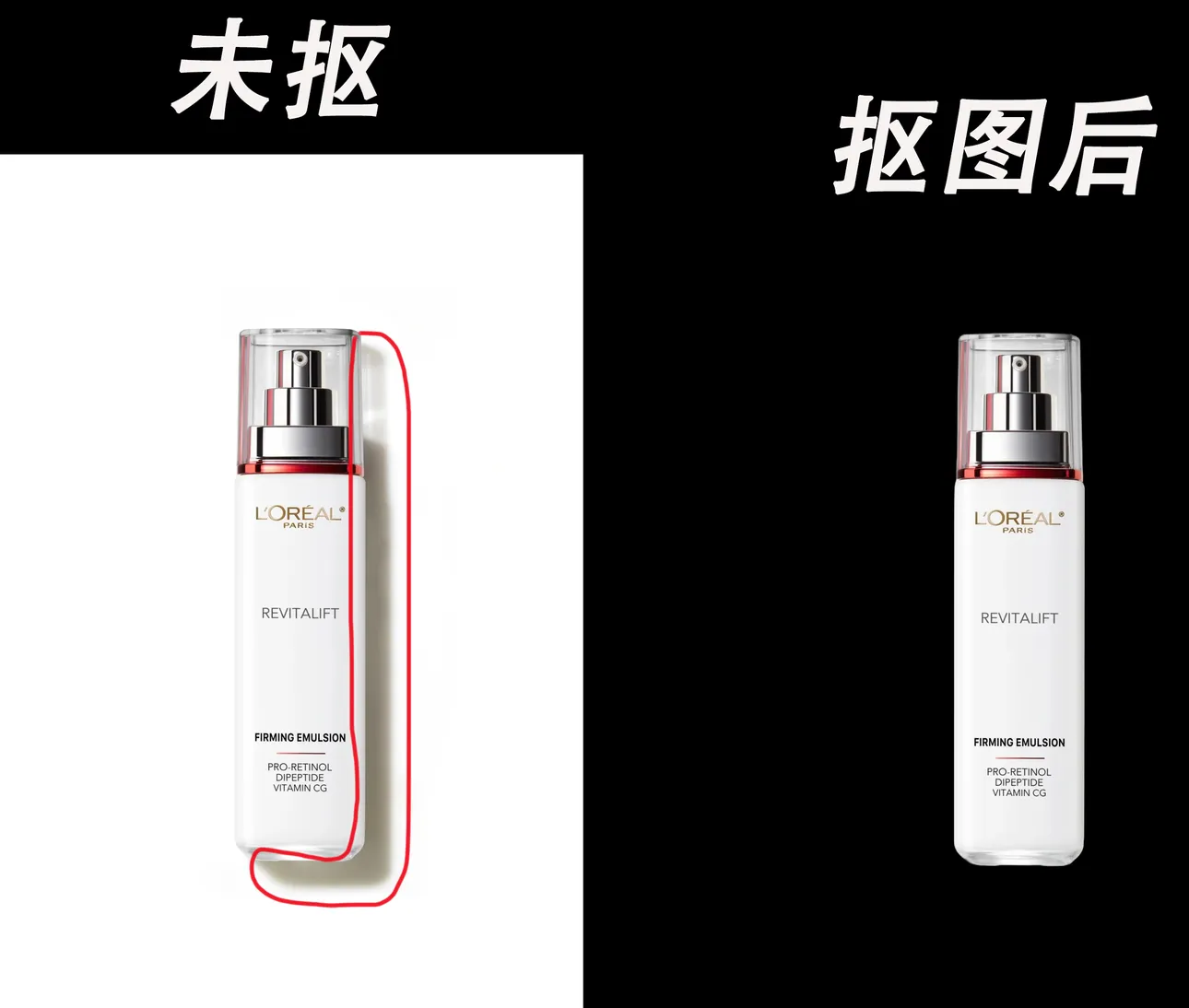 From here, you can see that the unclipped product retains the light and shadow effects, while after clipping, there are no shadows. It becomes a complete image. Let’s now look at the line drawing of ControlNet.
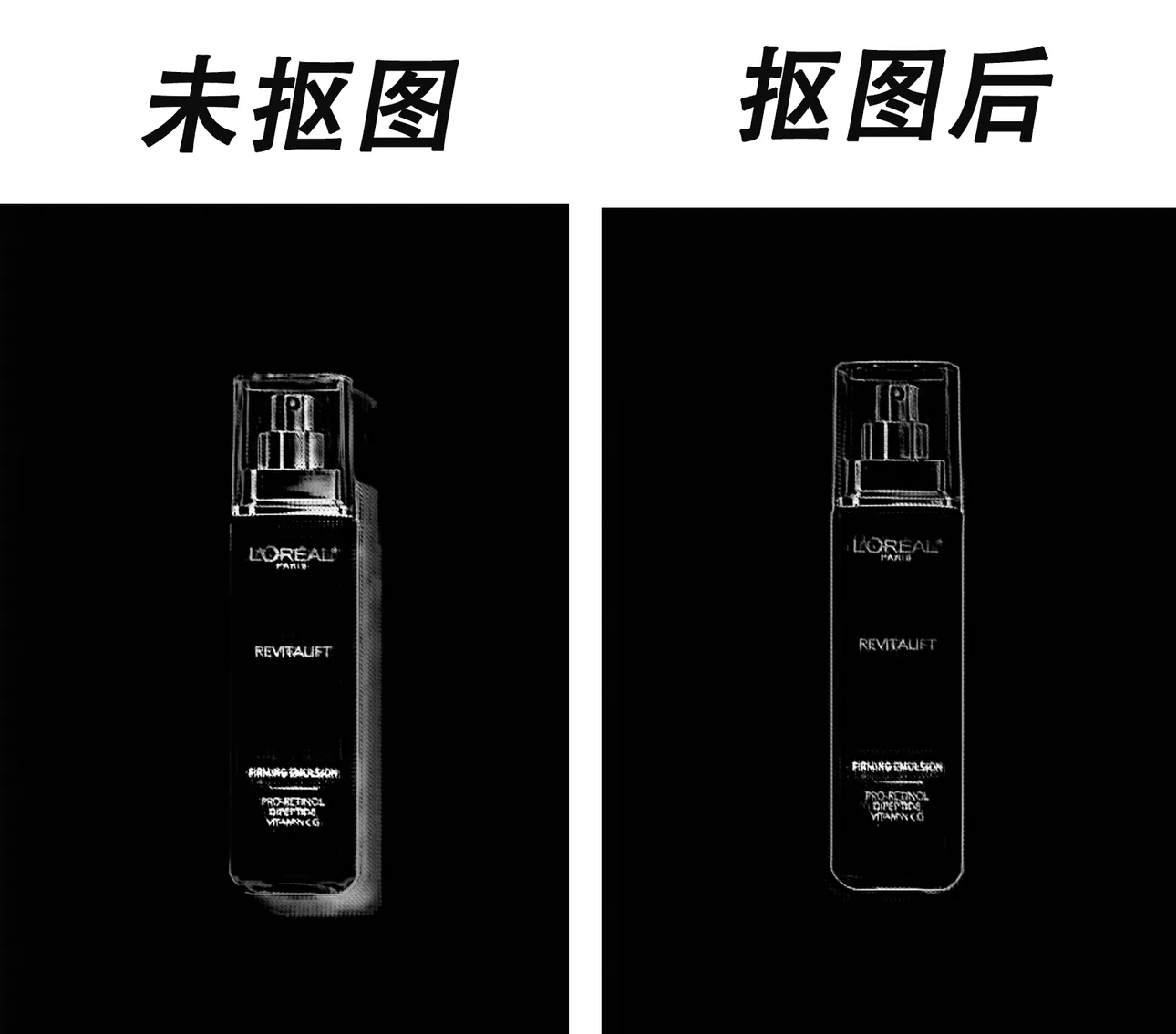 Here you can see that without clipping the product, the line drawing includes the light and shadow parts, resulting in some inexplicable elements being added.
Below is the effect of the unclipped product:

The product clipping is related to the size it occupies in the image. If your product covers 90% of the image area, then only 10% remains for the background, which may not look good when replaced. Pay attention to the size of the product as well.
Big models and LORA models can be replaced with preferred and timely models. The default workflow is configured with a 1.5 model. If you switch to an XL model, remember to change everything accordingly, or else errors may occur, including the ControlNet model.
If you encounter any problems, please give me feedback promptly. I will address and find solutions to each issue raised, as everyone's product images and usage scenarios are unique. Therefore, I need feedback from all of you to improve the workflow effectively.
Finally, I wish you all a happy experience.
Personal homepage with 100+ selected workflows: https://www.liblib.art/userpage/46987de339ac47e0965172f7ccd1b939/publish/workflow