
Background and distance control
1.5

 Image info
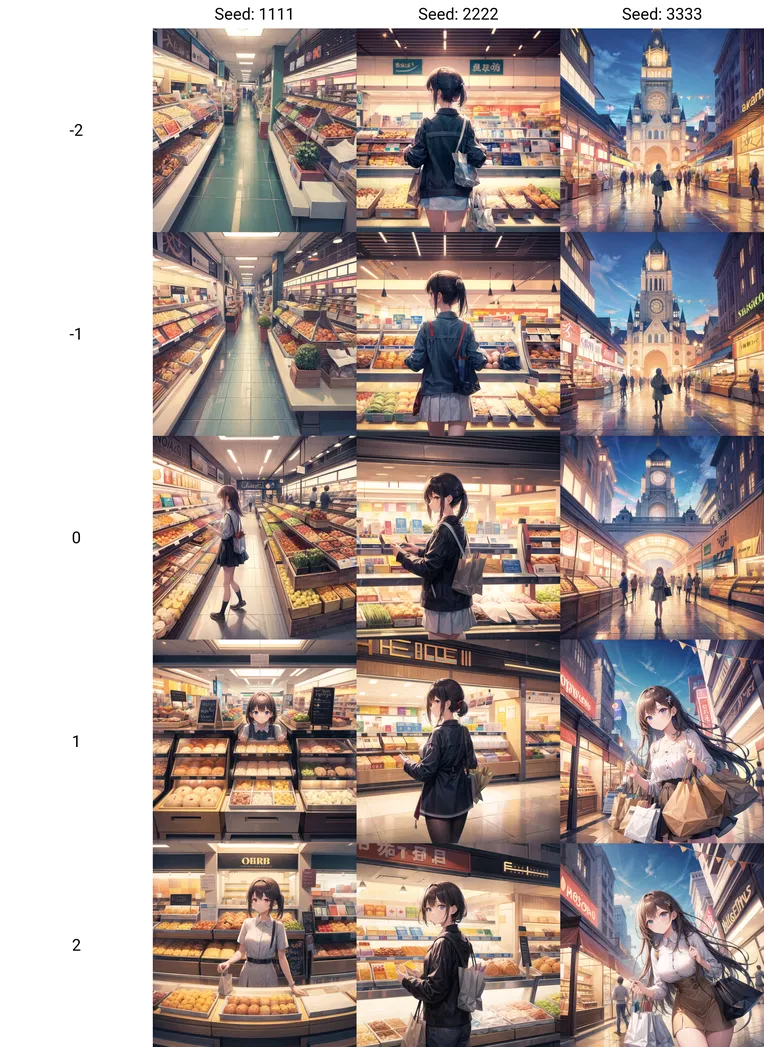 Image info
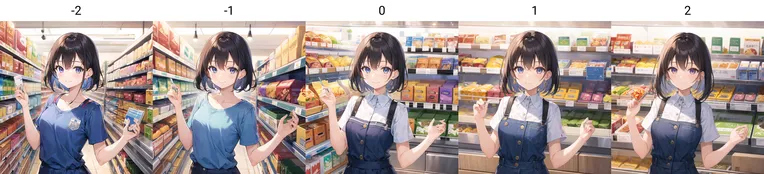 Image info
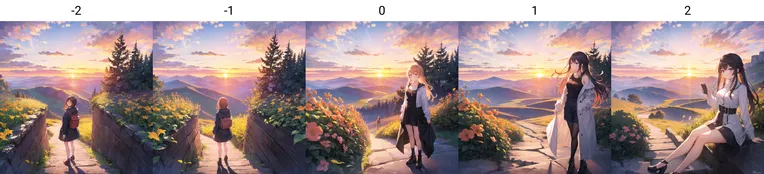 Image info
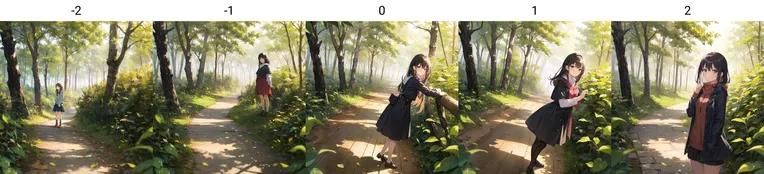 Image info
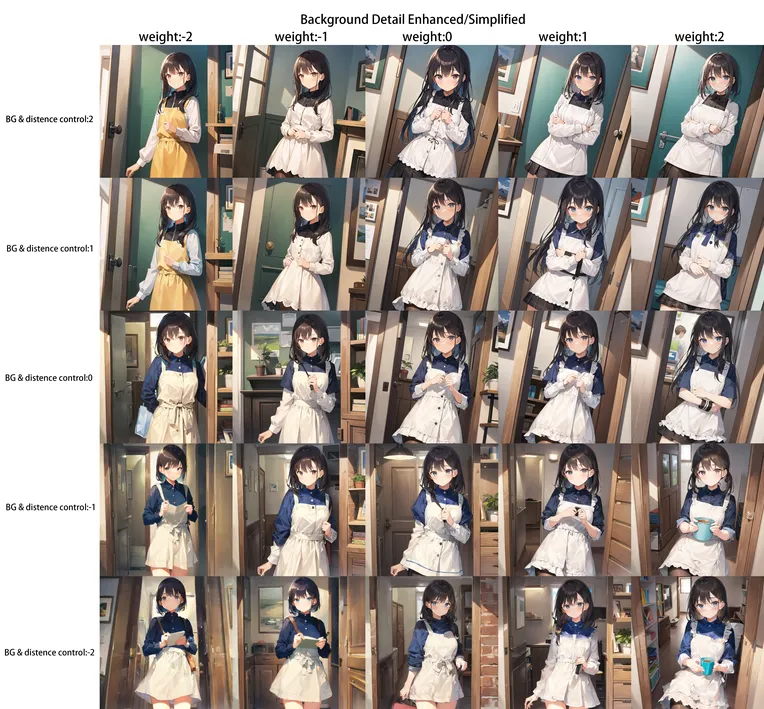 Image info
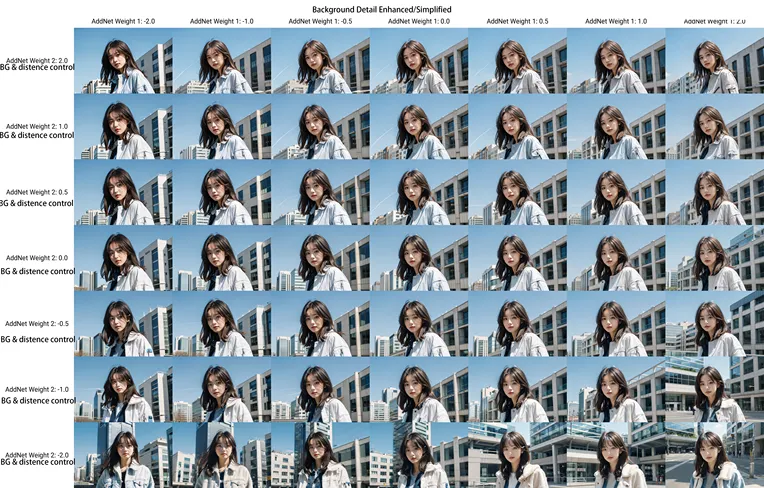 Image info
Setting the weight to a negative value will make the background more profound, move the character's camera further, and make the background more organized; setting the weight to simplify the background will bring the character closer to the camera, making the background less regular; the lens/distance effect needs an uneven ratio of character and background words to easily trigger. Lora introduces this imbalance. If you write many words about the character, but only a few background words, keeping the character in high definition at a distance.
Closer distance.
You can do it now. Use another Lora "edge strengthening/weakening" to set a negative value. For more details, please check the numerous instructions. No
unrestricted effects of enriching or simplifying the background. No trigger words, just load directly. Recommended values range from -2 to +2. -3 hardly contaminates the image. +3 values can also be used, try them out on your own.
Usage 1: Add a lot of background words and emphasize the weight of character words. Balance the ratio of character words and background words. Ensure the character has enough pixels
, increase the richness and details of the background, use a weight of -2.Usage 2: When drawing scenes like buildings, classrooms, supermarket shelves, using a negative weight can make the background more regular. For more information, refer to Figure 4, the example of supermarket shelves.
Usage 3: When you want to emphasize the subject without letting the background dominate, you can set a positive weight and flatten the background. Positive weight also has a very delicate, smooth line effect
, suitable for creating simple cartoon images.Combining Lora's "enhance/simplify background details," see Figures 5 and 6 for more details, setting the weight to a negative value will deepen the background and add more details, moving the character away from the
audience; setting the weight to a positive value will show fewer details in the background, bringing the character closer to the audience;
the lens/distance effectshould trigger when there is an imbalance between character words and background words, and Lora will enhance this explanation.
If you write many words about the character, but only a few about the background. Now, you can keep the character in high definition and distant, by using another Lora "weakening/strengthening edge," taking a negative value, as shown in the example of "Girl Group".
Nolimitations on the effects of enriching or simplifying the background. No keywords, use directly. Recommended values -2 to +2 hardly contaminate the screen, and you can also try out values -3 and +3 on your own.
Usage 1: Add a lot of background words and reduce the weight of character words. Balance the power of the character's story and background words. Increase the richness and details of the background while ensuring the characters have enough pixels, using a weight of -2.
Usage 2: When drawing scenes like buildings, classrooms, supermarket shelves, using a negative weight can make the background more regular; see Figure 4 for an example of supermarket shelves.
Usage 3: When you want to emphasize the subject or avoid the background standing out from the subject, you can set a positive weight to flatten the background. Positive weight can slightly smooth lines and is more suitable
for creating simple characters. Whencombined with Lora's "enhance/simplify background details," it can achieve amazing effects.
For more details, refer to Figures 5 and 6 "Background Details
Enhancement/Simplification." LoRa can be downloaded from Anson's page: https://www.liblibai.com/modelinfo/9b9bd211b1a14fc1a9eb3e93886997b0For foreigners, CIVIT AI address
:https://civitai.com/models/112788/background-and-distence-control